
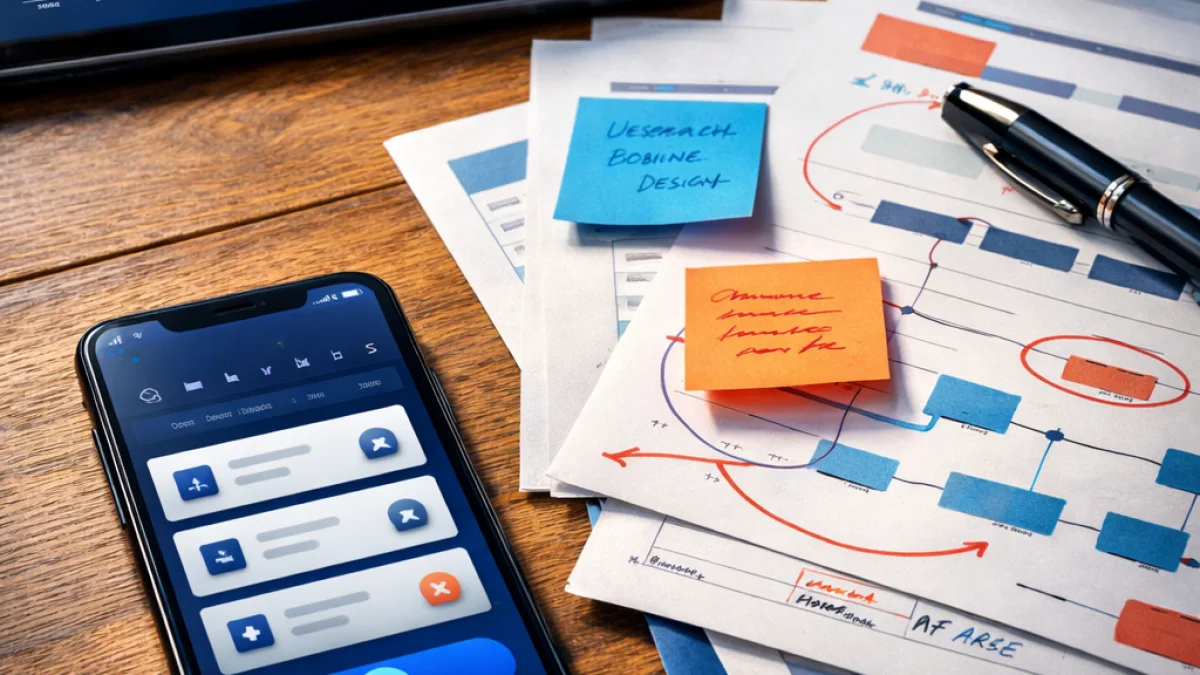
Building a successful mobile app starts long before the first line of code. For business owners, user research for mobile app projects is the difference between launching a useful product and releasing a confusing, underused experience. This guide walks through practical, actionable steps you can take at each phase of development so your roadmap, design, and engineering time reflect real user needs.
When to do user research
User research isn't a single task; it's a set of activities you should run throughout the product lifecycle. Typical checkpoints include:
- Discovery: Validate the problem, target users, and context of use before committing to features.
- Concept validation: Test early sketches or low-fidelity prototypes to prioritize core flows.
- Pre-release usability testing: Find friction in onboarding, search, checkout, or other critical journeys.
- Post-launch analytics and follow-up studies: Monitor behavior and close the loop with targeted research to improve retention and conversion.
Core methods and when to use them
Different methods answer different questions. Use a mix of qualitative and quantitative techniques.
Qualitative methods
- User interviews – Best for understanding motivations, workflows, and mental models. Use early to validate assumptions and later to unpack analytics signals.
- Contextual inquiry – Observe users in the environment where they would use the app (store floor, field service site, office). Ideal when context heavily shapes design decisions.
- Usability testing – Moderate-fidelity prototypes or beta builds help uncover interaction problems and confusing labels. Run iterative tests, focusing on core tasks.
- Diary studies – Ask participants to record interactions over days or weeks to capture episodic behaviors that short sessions miss.
Quantitative methods
- Surveys – Use them to measure preferences, priority features, or customer satisfaction at scale after an interview phase shapes your questions.
- Analytics – Instrument funnels, retention, and feature usage to reveal where users drop off. Use event-level tracking to link behavior to segments.
- A/B testing – Validate design or copy changes that aim to improve conversion or completion rates once you have sufficient traffic.
Practical research plan template
Below is a compact plan you can adapt to your budget and timeline. It focuses on discovery through pre-launch validation for a new business app.
- Objectives: Define two to three research questions. Example: "What core tasks do field agents complete on their phones?" or "What information do shoppers need during checkout?"
- Participants: Recruit based on roles and behaviors, not demographics alone. For usability testing, plan 5–8 participants per user group per iteration. For surveys, aim for a larger statistically meaningful sample depending on reach.
- Methods: Combine 4–6 contextual interviews with 1–2 rounds of usability tests on prototypes and a short follow-up survey.
- Timeline: Two to four weeks for discovery and the first validation round. Shorter sprints are possible with a focused set of tasks.
- Deliverables: Interview summaries, task-based usability findings with severity notes, prioritized list of product requirements, and annotated flows or wireframes for engineering handoff.
Recruiting participants effectively
Recruiting good participants saves time and improves the quality of your findings. Target people who match your intended user roles and the context in which they use the app.
- Use customer databases, in-store signage, social channels, or paid panels to find candidates. Always screen with a brief questionnaire tied to your research questions.
- Offer appropriate incentives and be transparent about time commitment and tasks. For remote sessions, check device compatibility and connectivity ahead of time.
- Consider recruiting a mix of experienced users, new users, and edge cases to discover different types of friction.
Running sessions: practical tips
- Start with a short, unobtrusive warm-up to build rapport and confirm the user's context without leading them.
- For usability tests, give realistic tasks phrased as goals rather than step-by-step instructions. Observe where users hesitate, backtrack, or ask for clarification.
- Record sessions (with consent) and take timestamped notes of observed issues and quotes. Capture both what users say and what they do.
- Keep sessions short—30–60 minutes for most tests—and focus on the critical flows that impact your business KPIs.
Analyzing findings and creating action
Turn raw observations into product decisions with a repeatable synthesis process.
- Aggregate notes and cluster observations into themes (e.g., navigation confusion, missing data, trust issues).
- Prioritize problems by business impact and frequency. Use a simple matrix: severity vs. effort to fix.
- Create clear, actionable recommendations tied to user quotes and screenshots or recordings. Each recommendation should indicate whether it requires design, content, or engineering work.
- Translate outcomes into acceptance criteria for engineering stories so fixes are testable.
Integrating research into product workflows
To get value from user research, make it part of how your team decides, not a one-off audit.
- Schedule regular research sprints aligned with design and engineering cycles. Shorter, frequent tests are better than long isolated studies.
- Embed lightweight research artifacts in your development process: user stories with research notes, usability test clips in pull requests, and quick surveys after major releases.
- Share insights in short, consumable formats for stakeholders: highlight 3 key wins or risks and the recommended next steps.
Measuring impact
Define metrics that map to business objectives and can be instrumented in the app. Typical measures include task completion rate, time-on-task for critical flows, conversion or retention rates, and NPS or satisfaction scores.
Combine metrics with qualitative checkpoints to understand why changes worked or not. For example, if checkout conversion improves after a redesign, use targeted interviews or session recordings to confirm the causal change.
Tools and lightweight tech stack
You don't need an enterprise setup to do rigorous research. Useful tools include remote testing platforms, screen-recording or session replay services for post-launch analysis, simple survey tools, and analytics platforms that let you track events and funnels. Prototype tools that support interactive flows speed up validation without building production code.
Common pitfalls and how to avoid them
- Avoid recruiting only internal staff or friends; their behavior rarely matches target users.
- Don't skip synthesis. Raw session notes are not insight until clustered and prioritized.
- Resist the urge to over-design based on a single interview or loud stakeholder request; triangulate with multiple methods.
Delivering research outcomes to stakeholders
Stakeholders respond best to clear, prioritized recommendations. Present findings with direct links to business impact and practical next steps. Include at least one quick win and one research-backed roadmap item to show immediate and strategic value.
Getting help
If you need an integrated approach—research, design, and development aligned to business goals—consider working with specialists who have experience taking findings into production. The App Wizards can help run focused research sprints, synthesize outcomes, and translate them into prioritized deliverables for engineering. Contact The App Wizards to discuss a research plan tailored to your app.
User research for mobile app projects is an investment that reduces risk and focuses your team on meaningful outcomes. Start small, stay iterative, and turn observations into measurable product decisions.